
PlantNet Plant Identification
PlantNetEducation
4.59.64K Reviews
- Version
- 3.26.10
- Installs
- 10.00M
- Age Rating
- Everyone 10+
Screenshots
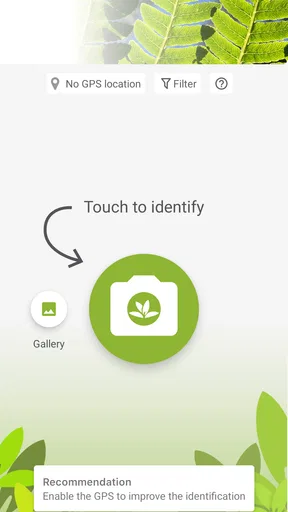
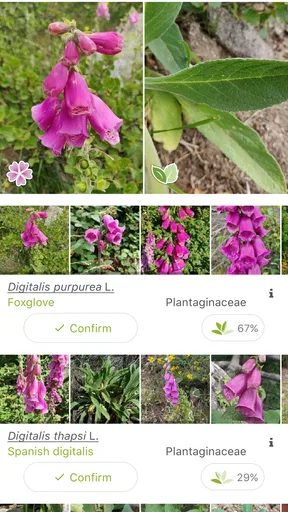
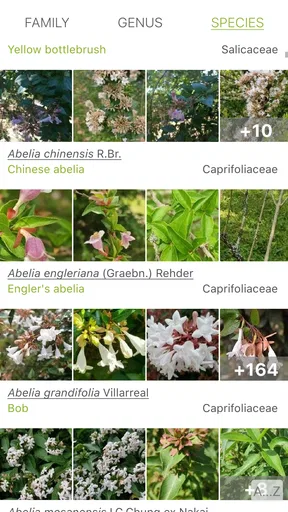
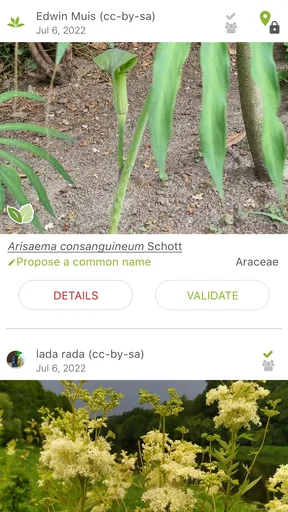
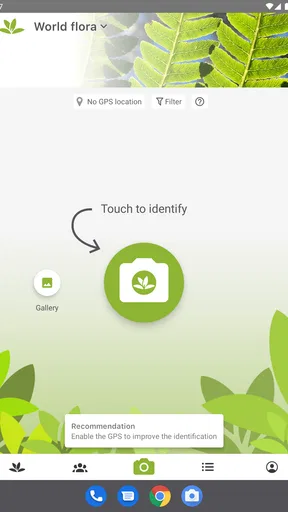
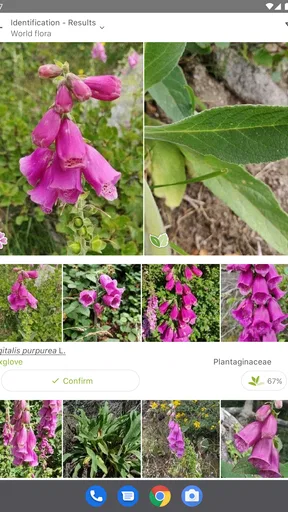
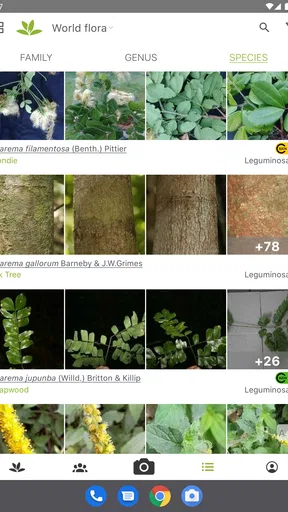
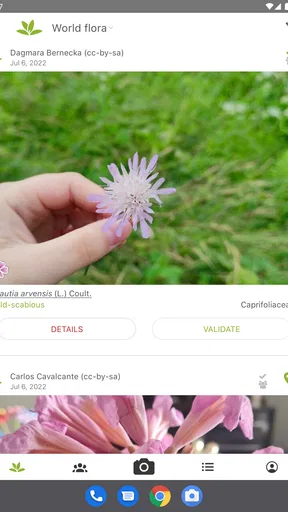
Our Review of PlantNet Plant Identification
 Analysis by Appyee
I use PlantNet Plant Identification when I am walking somewhere unfamiliar and notice a plant I cannot name. Instead of guessing from leaf shape or searching through dozens of similar-looking pictures, I take a photo and let the app turn that moment of curiosity into a practical identification attempt. It is an education app from PlantNet, focused on helping people observe wild plants, and its free access makes it easy to try without making a purchase decision first.
My experience is that it works best as a field companion rather than as a definitive botanical authority. The app can point me toward a likely match, show me how my observation relates to other plant records, and encourage closer attention to details I might otherwise ignore. It is especially useful for beginners, walkers, gardeners who encounter volunteer plants, and students learning to distinguish species. It is less suitable when I need legally or medically certain identification, or when I expect a single photograph to solve every difficult case.
How PlantNet turns a casual sighting into a useful learning exercise
I find the most useful shift happens when I stop treating a suggested name as the prize and start asking what visible evidence supports it. Comparing a flower with the leaves, stem, and setting makes each sighting a small exercise in noticing patterns—and helps me spot when a plausible match still needs checking. That habit also clarifies what the app can and cannot tell me about its evolution.
Free access changes the value equation
The most important cost detail is straightforward: PlantNet is free to use. That matters because plant recognition is often an occasional need. I may use it several times during a hike, then not open it again for weeks. A free app is a sensible fit for that pattern, since I can keep it available for spontaneous questions without treating every identification as a paid session.
Free does not automatically mean perfect value, but here the price supports the app's main educational purpose. I can experiment with unfamiliar plants, compare results, and learn from mistakes without worrying that curiosity will lead to a charge. The app is rated for Everyone 10+, which also makes it approachable for family nature walks and school-related observation, provided a responsible adult handles any safety questions around edible or poisonous plants.
PlantNet has been available since January 21, 2014, and the scale of its audience suggests that it has become a familiar tool for people interested in nature. It carries an average rating of 4.5 from around 264 thousand ratings, with more than 10 million installs. Those figures do not guarantee that every result will be correct, but they do indicate that the app has found a substantial audience beyond specialist botanists.
What I actually do when identifying a plant
I start by choosing the clearest part of the plant rather than rushing to photograph whatever is closest. A leaf can be useful, but a flower, fruit, bark pattern, or full plant view may provide a better clue depending on the species. This is one of the app's most useful lessons: identification is not only about pressing a camera button. It encourages me to observe the plant as a whole.
When possible, I take more than one kind of photograph. A close view of a flower can reveal details that disappear in a wide shot, while a picture of the leaves and stem gives context. I also try to avoid cluttered backgrounds and harsh shadows. The app can only work with what the camera captures, so a blurred image or a partially hidden plant often produces an uncertain result even when the species would be obvious in person.
The returned suggestions are best treated as a shortlist. I look at the proposed names, compare the images, and check whether the plant's visible structure agrees with the suggestion. If the top result looks wrong, I do not force it. I retake the photograph from another angle or use a different plant part. The strongest habit is verification, not blind acceptance.
Why the app is more educational than a simple picture search
A general image search can find visually similar photographs, but it often leaves me to decide which result is relevant. PlantNet gives the search a more focused purpose: I am submitting an observation of a plant and examining possible botanical matches. That makes the process feel closer to guided field study than to ordinary web browsing.
Compared with a printed field guide, the app is faster for a beginner who does not yet know which visual category to open. A book can be more dependable for careful comparison and can work without a phone, but carrying one and knowing how to navigate it takes more preparation. PlantNet is the convenient first step; a field guide remains valuable when I want to study distinguishing features in depth.
Compared with asking a gardening community, the app is immediate and private. A human expert may notice a subtle feature that software misses, but waiting for replies is not practical when I am standing beside a trail. I see PlantNet as a way to form an initial hypothesis, then use a knowledgeable person or a specialist reference when the identification matters.
Small workflow choices that improve results
One useful approach is to photograph the plant before touching it or moving it. This preserves its natural position and gives me a better sense of its habitat and growth pattern. If the first image is weak, I take a second one rather than repeatedly submitting the same angle. The difference between a clear flower detail and a distant silhouette can be decisive.
I also avoid identifying a plant from only one visible feature when several similar species are nearby. A distinctive-looking leaf can belong to multiple plants, especially when flowers or fruit are absent. By collecting images at different stages of the same observation, I create a more informed comparison. This is a simple workflow, but it prevents the common mistake of treating the first plausible name as a confirmed answer.
Another practical tip is to use the app as a learning notebook in my head, even when I do not need the name immediately. I pay attention to why one suggestion appears more convincing than another: leaf arrangement, flower structure, color, texture, or overall shape. Over time, that repeated comparison improves my own recognition skills. The app is most valuable when it gradually makes me less dependent on it.
Where confidence can become misleading
Plant identification is difficult because nature does not always present clean examples. Plants can look different depending on season, age, lighting, weather, and damage. A young specimen may not resemble a mature one, and a plant without flowers may be much harder to distinguish from a close relative. PlantNet can help narrow the possibilities, but it cannot remove those biological complications.
I would never use a suggested result as permission to eat a wild plant, prepare it as medicine, or handle an unfamiliar species carelessly. A wrong identification in those situations can have serious consequences. The app is appropriate for learning and observation; it is not a substitute for expert confirmation when health, conservation rules, livestock, or a child's safety is involved.
Location can also affect how useful a suggestion feels. A plant that is common in one region may be unusual in another, while introduced or cultivated plants may not fit the expectations I bring from a local walk. I therefore compare the visual result with the setting rather than assuming that the most attractive match must be correct.
Who will get the most from the free experience
Beginners are the clearest audience. If I know very little about botanical terminology, PlantNet gives me a practical starting point and a reason to look more closely. It is also a good fit for parents and children exploring parks, provided the activity is framed as observation rather than foraging. The child can take the picture, compare the suggestions, and learn why a leaf or flower matters.
Hikers and travelers can use it to add structure to a walk. Instead of photographing scenery only, I can choose a few plants and investigate them as I go. Gardeners may find it helpful when an unfamiliar seedling appears in a pot or border, although cultivated varieties and hybrids can be harder to identify than ordinary wild examples.
Students can use the app to generate questions for a lesson or personal project. A useful exercise is to record the first suggestion, list the visible evidence supporting it, and then look for a feature that could disprove it. That turns the app from an answer machine into a tool for practicing observation and critical thinking.
More experienced botanists may appreciate the speed of an initial comparison, but they are less likely to need the app for obvious species. Their value comes from using it selectively: unusual specimens, unfamiliar regions, or a quick second opinion. Someone who already owns a strong local field guide may prefer the book for detailed keys and systematic study.
Who should skip it or use another method first
I would skip PlantNet if my only goal were to identify ornamental cultivars with exact commercial names. The app's focus is wild-plant observation, so a nursery catalog, gardening database, or specialist group may be more useful for named varieties and garden hybrids. I would also choose a dedicated regional guide when I regularly need fine distinctions between closely related local species.
It is not the right choice for someone who wants instant certainty from a single low-quality photograph. The app rewards patience: clear images, multiple plant parts, and a willingness to compare suggestions. If that process feels like too much work, a human expert may provide a better experience, especially when the plant has unusual damage or is missing its flowers.
People who spend time far from reliable connectivity should plan their workflow carefully rather than assuming that every identification step will be equally convenient outdoors. I would take photographs first and review them when practical, while carrying a basic field guide if identification is important during the walk. The app is convenient, but convenience should not replace preparation in remote areas.
How I would use it in an ordinary day
Imagine walking home through a neighborhood park after rain and noticing a small flowering plant beside a path. I would photograph the flower close up, then capture the leaves and the plant's overall shape. After reviewing the possible matches, I would compare the suggested images with what I can actually see instead of stopping at the first name.
If the result seems convincing, I would note the name for later reading and continue walking. If it looks doubtful, I would keep the photographs and ask a local naturalist or consult a regional guide. That workflow gives me immediate curiosity-driven help without pretending that a phone has settled every botanical question.
For a family outing, I would make the process a small challenge: find three different plant forms, photograph each one carefully, and discuss which visible details separate the suggestions. The educational value comes from the conversation and comparison, not just from collecting names. This is where the app feels more rewarding than a quick search engine result.
Version, compatibility, and day-to-day practicality
The current version is 3.26.10, and the app supports devices running Android 7.0 or later. That gives it a reasonably broad reach among Android users, although anyone with an older device should check compatibility before planning to rely on it in the field. Since this is a camera-based identification tool, I would also test it at home before a long trip, making sure the camera experience feels comfortable on my particular phone.
The app is not difficult to understand, but the quality of the outcome depends heavily on the user's behavior. A person who treats it like a one-tap answer generator may be disappointed, while someone willing to take thoughtful photographs will get more educational value. That difference is important: PlantNet's usefulness comes partly from the interaction between its recognition system and the observer's care.
My value judgement after using it
Because access is free, the main question is not whether it replaces every alternative. The better question is whether it earns a place on my phone for those moments when I encounter a plant and want a quick, informed starting point. For me, it does. There is little downside to keeping it available, and it turns ordinary walks into opportunities to learn.
The value is strongest when I combine it with good observation and another source for confirmation. I would not pay a premium in my mind by assigning it authority it does not have; its real benefit is convenience, curiosity, and practice. A free tool that helps me ask better questions can be worthwhile even when it occasionally leaves the final identification unresolved.
My recommendation for different kinds of users
I recommend PlantNet to casual nature observers, students, families, hikers, and beginner gardeners who want an accessible way to investigate wild plants. It is particularly appealing if you prefer learning through photographs and real-world examples rather than starting with technical botanical keys. The free price makes trying it an easy decision.
I recommend a regional field guide or expert community alongside it for serious study. Those alternatives are better when a precise distinction matters, when the plant is rare or unusual, or when the result could influence eating, treatment, animal safety, or conservation action. PlantNet can begin the investigation, but it should not be the only evidence in a high-stakes situation.
The final decision
My verdict is positive, with one clear condition: use PlantNet as a helpful identification partner, not as an unquestionable judge. It delivers meaningful educational value without a purchase, works naturally during walks, and encourages me to notice details that I would otherwise overlook. Its large user base and strong average rating support the impression that it is useful to many people, but my recommendation rests more on the workflow than on those numbers.
Download it if you want to turn everyday plant sightings into guided learning. Skip it if you need guaranteed species-level certainty, specialized cultivar recognition, or a replacement for expert botanical advice. For everyone in between, this free education app is worth trying, especially when you are prepared to take clear photographs, compare more than one feature, and treat every result as a well-informed starting point rather than the end of the investigation.
Verdict
Strengths of PlantNet Plant Identification
- Identifies many wild plants from a single photo
- Useful for nature walks, gardening, and field research
- Community observations help improve plant records
- Covers plants from different regions and habitats
- Free to download with no mandatory subscription
Limitations of PlantNet Plant Identification
- Results can be inaccurate with blurry or incomplete photos
- Rare or ornamental plants may not be recognized
- Requires internet access for most identification searches
- The interface may feel complex for first-time users
- Should not replace expert advice for edible or poisonous plants
Similar Picks in This Category
View All
Duolingo: Language Lessons
Duolingo4.7

Google Classroom
Google LLC2.8

Unacademy: Learn & Crack Exams
Unacademy3.2

Bible App for Kids
Life.Church4.4

Cake - Learn English & Korean
Cake Corp.4.7

Brainly: AI Homework Helper
Brainly4.5
Frequently Asked Questions
What is PlantNet Plant Identification, and how does it work?
PlantNet Plant Identification is a mobile app that helps you recognize plants from photographs. After taking or uploading a picture of a leaf, flower, fruit, bark, or other plant part, the app compares the image with its botanical database and suggests likely matches. Results are usually more accurate when the photo is clear, well lit, and focused on a distinctive plant feature.
Can PlantNet identify any plant with complete accuracy?
No identification app can guarantee a correct result every time, and PlantNet is no exception. Its suggestions depend on image quality, the plant part photographed, regional coverage, and how well the species is represented in the database. The app may provide several possible matches rather than one definite answer, so users should verify important identifications with reliable botanical sources or a professional.
Does PlantNet Plant Identification work without an internet connection?
PlantNet is primarily designed to use online image recognition and database services, so an internet connection is generally needed to submit photos and receive identification suggestions. You may still be able to browse some previously loaded information or saved observations while offline, depending on the app version and device. For field trips, it is best to test connectivity beforehand.
Is PlantNet free to download and use?
PlantNet is generally available as a free app for Android and iOS, allowing users to photograph plants, receive identification suggestions, and contribute observations. Availability of certain features, database content, or optional contributions can vary by platform and version. Before downloading, check the current store listing for the latest information about permissions, updates, and any optional paid elements.
Can I use PlantNet to identify plants that are safe to eat or use medicinally?
PlantNet should not be treated as a food-safety, poisonous-plant, or medical-advice tool. Even a convincing identification can be wrong, and closely related species may have very different effects. Never eat, prepare, or use a plant medicinally based only on the app’s result. Confirm the species with an expert or authoritative local guide, especially when children, pets, allergies, or health conditions are involved.
